Top 10 Best Bank Statement Converter Tools in 2026
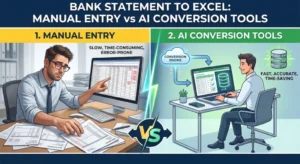
Every individual, accountant, lender, finance professional, and business owner faces the same challenge: extracting transaction data from PDF bank statements accurately and quickly. Manual data entry is time-consuming, error-prone, and impossible to scale efficiently.
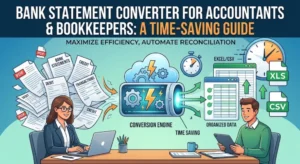
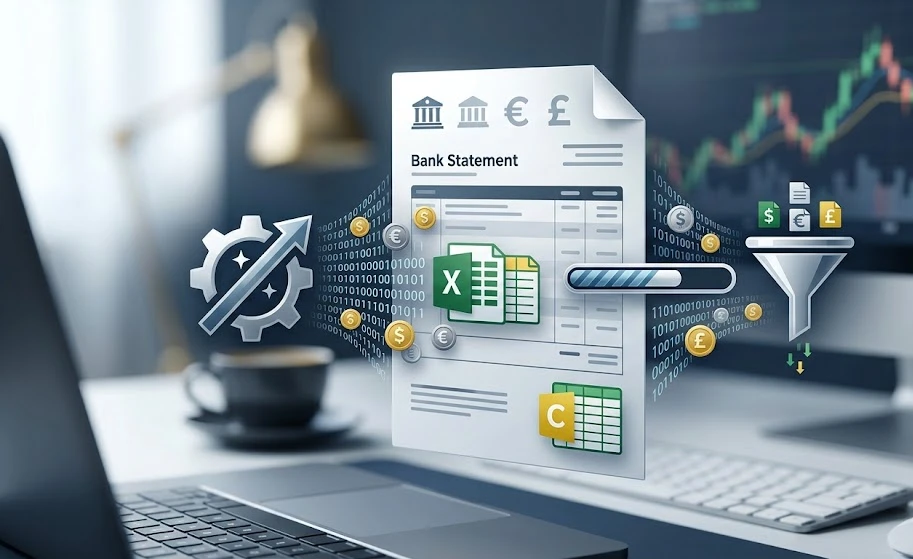
Modern bank statement converter tools solve this problem using AI and OCR technology to automatically transform bank statements into structured Excel or CSV data.
Today’s tools can process scanned statements, detect transaction tables, categorize financial data, and export files ready for accounting and bookkeeping.
But with dozens of options available, choosing the right platform can be difficult.
This guide compares the top bank statement converter tools in 2026 based on accuracy, automation, integrations, and overall usability.
What to Look for in a Bank Statement Converter
Factor | Why It Matters |
Accuracy | Even small extraction errors can create accounting issues |
OCR Capability | Essential for scanned and image-based statements |
Output Formats | Excel, CSV, JSON, QBO, and OFX support |
Automation | Batch processing and API integrations save time |
Ease of Use | Simple upload and conversion workflow |
Bank Compatibility | Support for multiple banks and statement layouts |
Pricing | Flexible plans for different business sizes |
Top Bank Statement Converter Tools Compared
Comparison Table
Tool | Best For | Claimed Accuracy |
Smart Bank Statement Converter | Freelancers & Individuals, Growing teams & firms, and Agencies & High Volume | High-precision |
Statement Extract | Lenders & fintechs | High |
BankStatementConverter.com | Small businesses | Not specified |
Formula Bot | Casual users | Not specified |
Nanonets | Workflow automation | High |
Parsio | Email automation | High |
Klippa | Enterprise OCR | High |
Veryfi | Receipt + statement extraction | High |
OCR.Space | Developers | Moderate |
Adobe Acrobat AI | PDF workflows | Moderate |
1. Smart Bank Statement Converter
Best for: Businesses, accountants, lenders, and users needing fast AI-powered PDF-to-Excel conversion
Smart Bank Statement Converter is a modern AI-powered platform designed to simplify bank statement extraction and conversion. The platform automatically converts PDF bank statements into structured Excel and CSV files in seconds, helping businesses eliminate manual data entry and reduce processing time.
Unlike traditional OCR-only tools, Smart Bank Statement Converter combines AI extraction with intelligent transaction recognition to improve accuracy across different bank formats.
The platform is built for both casual users and finance professionals who need fast, reliable, and scalable bank statement conversion workflows.
Key Features
AI-Powered Statement Extraction
The platform uses intelligent OCR and AI parsing to extract transaction data from both digital and scanned bank statements.
Supports Multiple Formats
Convert bank statements into:
- Excel (.xlsx)
- CSV
- Structured financial data
Bank-Grade Security
256-bit SSL encryption with automatic file deletion after processing.
Works with Scanned PDFs
Supports image-based and scanned bank statements using OCR technology.
Secure Online Processing
The platform focuses on secure document handling for financial data processing.
User-Friendly Interface
Simple upload-and-convert workflow with no technical setup required.
Batch Processing
Supports multiple statement uploads for faster financial workflows.
How It Works
- Upload your PDF bank statement
- AI extracts transaction data automatically
- Review structured output
- Download the converted Excel or CSV file
This makes it one of the easiest bank statement converter online platforms for non-technical users.
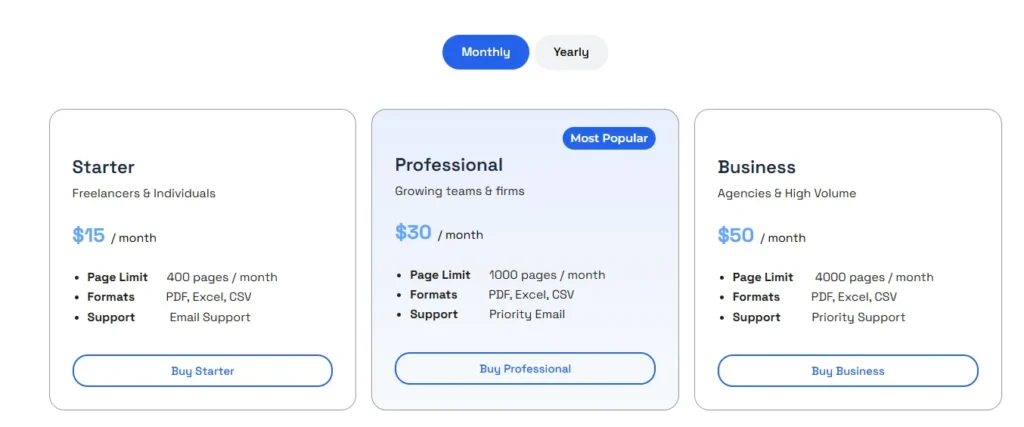
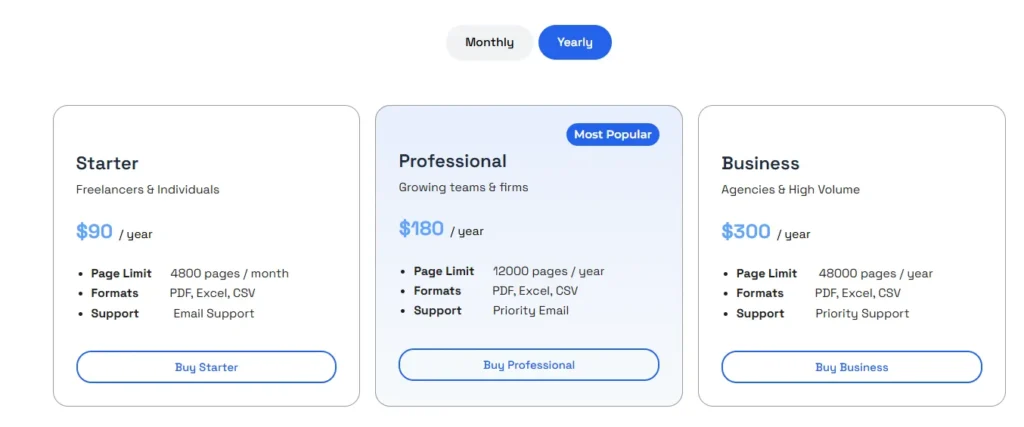
Pricing
Plan | Pricing |
Paid Plans |
Pros
- AI-powered extraction engine
- Supports scanned and digital PDFs
- Fast PDF-to-Excel conversion
- Easy online interface
- Batch processing support
- Good for businesses and finance teams
- Beginner-friendly workflow
2. Statement Extract
Best for: Mortgage lenders, fintech companies, and high-accuracy workflows
Statement Extract focuses entirely on bank statement extraction for financial services companies. Unlike general OCR platforms, it specializes in banking documents and underwriting workflows.
Key Features
- Mathematical validation checks
- API integrations
- Cash flow analysis support
- Excel and CSV export
Pros
- Extremely accurate extraction
- Validation reduces errors
- Strong API support
- Excellent for lending workflows
Cons
- Mostly focused on US banking formats
- Pricing not suitable for small businesses
3. BankStatementConverter.com
Best for: Freelancers and small businesses
BankStatementConverter.com is a simple and affordable PDF-to-Excel conversion platform designed for basic conversion needs.
Key Features
- Drag-and-drop uploads
- Multiple bank support
- Excel and CSV exports
Pros
- Easy to use
- Simple workflow
Cons
- No API integrations
- Limited automation
- Mixed customer reviews
4. Formula Bot
Best for: Casual users needing occasional conversions
Formula Bot is primarily an AI spreadsheet assistant that also offers bank statement conversion capabilities.
Key Features
- AI-powered extraction
- OCR support for scanned statements
- CSV and Excel export
Pros
- Easy for beginners
- Multiple export formats
Cons
- Limited advanced banking features
- Accuracy varies with complex layouts
5. Nanonets
Best for: Workflow automation teams
Nanonets is one of the strongest AI bank statement converter tools for businesses needing document automation pipelines.
Key Features
- AI OCR extraction
- Workflow automation
- Zapier integrations
- Email imports
- API access
Pros
- Powerful automation
- Excellent integrations
- Enterprise scalability
Cons
- Expensive at scale
- Learning curve for non-technical users
6. Parsio
Best for: Automated email statement extraction
Parsio automates the extraction of statement data from incoming emails and PDFs into spreadsheets.
Key Features
- Email parsing automation
- OCR support
- Google Sheets integration
- API connectivity
Pros
- Strong automation
- Useful for recurring statement workflows
Cons
- More expensive than basic converters
- Less specialized for banking
7. Klippa
Best for: Enterprise document processing
Klippa provides enterprise-grade OCR and intelligent document extraction for financial documents.
Key Features
- AI OCR technology
- Multi-language extraction
- Enterprise API integrations
- Scanned PDF support
Pros
- Strong OCR quality
- Handles difficult scans well
Cons
- Complex setup for small users
8. Verify
Best for: Businesses managing receipts and statements together
Veryfi combines bookkeeping automation with financial document extraction.
Key Features
- Real-time OCR extraction
- API support
- Mobile scanning
- Financial document automation
Pros
- Fast processing
- Strong mobile support
Cons
- Not solely focused on bank statements
- Premium pricing
9. OCR.Space
Best for: Developers needing OCR APIs
OCR.Space is a lightweight OCR API often used for custom financial document extraction systems.
Key Features
- OCR API access
- Multi-language support
Pros
- Developer-friendly
- Flexible API setup
Cons
- Requires technical implementation
- No dedicated banking workflows
10. Adobe Acrobat AI
Best for: Existing Adobe users
Adobe Acrobat AI includes PDF extraction tools that can convert tables and transaction data into Excel spreadsheets.
Key Features
- AI-powered PDF extraction
- Excel exports
Pros
- Familiar interface
- Easy PDF editing
Cons
- Lower extraction accuracy for banking documents
- Limited workflow automation
Accuracy Comparison
Tool | Accuracy | Validation |
Smart Bank Statement Converter | High-precision | AI extraction |
Statement Extract | High | Balance reconciliation |
Nanonets | High | Manual review |
Formula Bot | Moderate | None |
OCR.Space | Moderate | None |
Key Insight
The best bank statement converter tools are not just about OCR. Platforms with AI validation and intelligent extraction reduce costly financial errors and improve reliability.
How to Choose the Right Tool
Choose Smart Bank Statement Converter if:
- You want fast AI-powered conversion
- You need scanned PDF support
- You want a beginner-friendly interface
- You need reliable Excel exports
Choose Statement Extract if:
- You need lending-grade extraction accuracy
- API integration is essential
- You process high document volumes
Choose Formula Bot if:
- You only need occasional conversions
- Budget is the main concern
Choose Nanonets if:
- You need workflow automation
- You want advanced integrations
Choose BankStatementConverter.com if:
- You want an affordable everyday conversion
- You prefer simple workflows
Conclusion
The market for bank statement converter tools in 2026 is more advanced than ever. Businesses now have access to AI-powered extraction, automated workflows, and highly accurate PDF-to-Excel conversion platforms.
Here’s the simplest breakdown:
Use Case | Recommended Tool |
Best overall usability | Smart Bank Statement Converter |
Highest lending accuracy | Statement Extract |
Budget-friendly | BankStatementConverter.com |
Workflow automation | Nanonets |
Frequently Asked Questions
What are the best bank statement converter tools in 2026?
Some of the top options include Smart Bank Statement Converter, Statement Extract, Nanonets, Formula Bot, and BankStatementConverter.com.
Which bank statement converter tool is the most accurate?
Smart Bank Statement Converter and Statement Extract are among the strongest options for accuracy and AI-powered extraction.
Can I convert bank statements from PDF to Excel automatically?
Yes. Most modern bank statement to Excel converter tools automatically extract transactions from PDFs into structured Excel or CSV files.
Are free bank statement converter tools reliable?
Bank statement converter online free tools can work well for simple statements, but paid solutions usually offer better OCR accuracy, automation, and customer support.
Which tools can convert scanned bank statements to Excel?
Smart Bank Statement Converter, Nanonets, Formula Bot, and Klippa all support scanned bank statements using OCR technology.
Do bank statement converters support multiple currencies?
Most advanced AI bank statement converter tools support international bank formats and multiple currencies automatically.
Is OCR necessary for bank statement extraction?
Yes. OCR technology is essential for extracting text from scanned or image-based bank statements.