Financial data processing has changed dramatically over the past few years. Businesses, accountants, lenders, and finance teams no longer want to spend hours manually entering transactions from PDF bank statements into spreadsheets.
Modern AI converters can now extract transaction data directly from bank statements and convert it into spreadsheet-ready formats within seconds. Instead of manually copying transactions line by line, automated systems use Optical Character Recognition and intelligent document processing to organize data.
For businesses processing hundreds of transactions every month, automation improves speed, consistency, and operational efficiency.
In this guide, we will explain how bank statement processing works, the technology behind it, who benefits from it, and why more finance professionals are switching to AI workflows.
What Is Automatic Bank Statement Conversion?
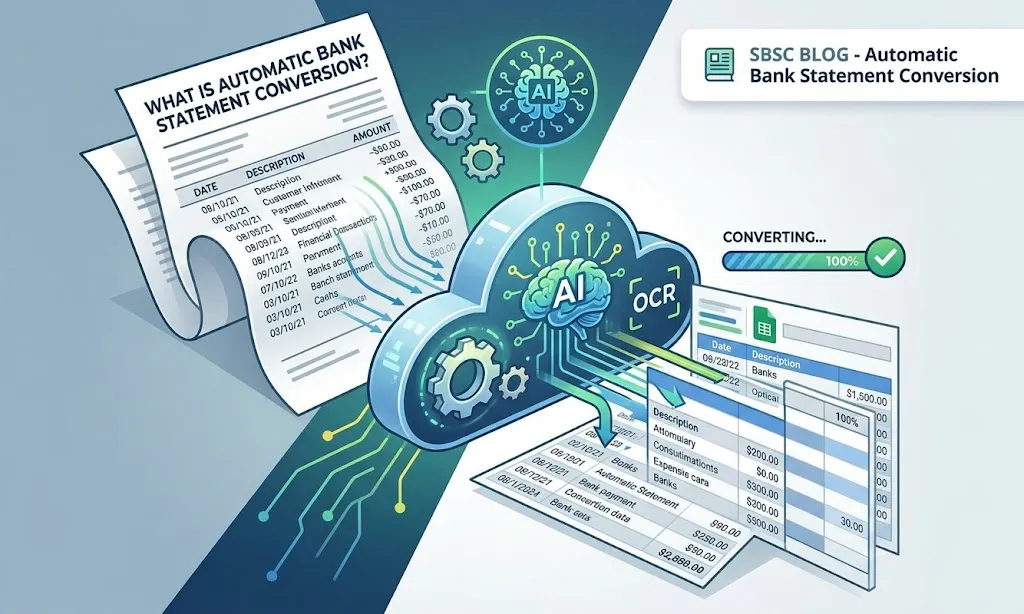
Automatic conversion is the process of extracting financial transaction data from PDF bank statements using AI and OCR, then converting it into spreadsheets.
Instead of manually reviewing statements, systems identify and organize transaction dates, descriptions, deposits, withdrawals, running balances, and account details with minimal human involvement.
The converted data can then be used for bookkeeping, financial reporting, reconciliation, expense tracking, auditing, and cash flow analysis.
Modern bank statement automation software eliminates repetitive manual work while improving consistency across financial operations.
Why Manual Bank Statement Processing No Longer Scales?
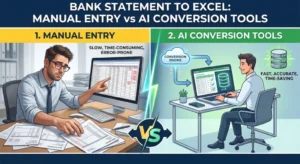
Manual data entry creates operational bottlenecks for businesses handling large transaction volumes. Finance teams often spend hours copying transactions into spreadsheets, correcting formatting issues, reviewing scanned statements, and organizing transaction records for reconciliation.
As transaction volumes increase, these manual workflows become inefficient and difficult to scale.
Task | Manual Workflow | Automated Workflow |
Extracting transactions | Time-consuming | Completed in seconds |
Accuracy | Prone to manual errors | Consistent extraction |
Multi-page statements | Difficult to organize | Processed |
Scanned PDFs | Hard to review manually | OCR-powered extraction |
Spreadsheet formatting | Manual cleanup needed | Structured output |
How Does Automatic Bank Statement Conversion Work?
Modern bank statement processing combines OCR with AI-powered document understanding. The workflow typically follows several stages that work together to transform raw bank statements into structured data.
Step 1: Upload the Bank Statement
Users begin by uploading a bank statement into the platform. Most modern systems support PDFs, scanned bank statements, image-based documents, and multi-page files. Some advanced platforms can also process multiple statements simultaneously for high-volume workflows.
Step 2: Optical Character Recognition Bank Statement Conversion
Optical Character Recognition scans the document and converts printed text into machine-readable data. Especially important for scanned statements, low-quality PDFs, and image-based financial documents.
Step 3: AI-Based Document Understanding
Modern platforms improve extraction accuracy using AI document analysis. Instead of simply recognizing text, the system understands the structure and meaning of financial data.
Allows the software to identify transaction tables, debit and credit columns, running balances, statement summaries, and account details.
Template-free AI systems can process thousands of different bank formats without requiring custom templates or manual setup.
Step 4: Data Extraction
After analyzing the document layout, the platform extracts transaction data.
Data Category | Extracted Information |
Account Information | Bank name, account holder, statement period |
Transactions | Dates, descriptions, amounts |
Summary Data | Opening and closing balances |
Financial Activity | Deposits, withdrawals, transfers |
Step 5: Export the Converted Data
Once processing is complete, users can download the converted statement in editable spreadsheet formats.
Allows businesses to reconcile accounts, analyze spending, prepare reports, track expenses, and streamline bookkeeping workflows without manual formatting work.
Technologies Behind Automated Bank Statement Processing
Modern bank statement automation software relies on multiple technologies working together to improve extraction accuracy and workflow efficiency.
Optical Character Recognition
OCR converts printed or scanned text into machine-readable information. Without OCR, scanned PDFs and image-based statements cannot be processed effectively.
Artificial Intelligence
AI helps systems dynamically understand financial document layouts, rather than relying on fixed templates. Allows modern tools to work across different bank statement formats.
Intelligent Validation Systems
Advanced systems also mathematically validate the extracted data. Advanced bank statement conversion systems do more than simply extract transaction data. They also perform intelligent validation checks to ensure the extracted information is accurate and financially consistent.
For example, the system verifies whether the statement balances reconcile correctly by validating that:
Opening Balance + Total Deposits – Total Withdrawals = Closing Balance
If any discrepancy is detected, the system can flag the statement for review. An additional validation layer improves extraction reliability and reduces financial inconsistencies.
Who Uses Automated Bank Statement Conversion?
Automated extraction tools are now used across multiple industries and financial workflows.
Individuals
Individuals use bank statement conversion for budgeting, expense tracking, tax preparation, loan applications, and financial organization. Instead of manually reviewing PDFs, users can instantly work with spreadsheet data.
Accountants and Bookkeepers
Accounting professionals process large volumes of financial documents every month. Automation helps reduce manual data entry, speed up reconciliation, organize transaction records, and improve reporting efficiency.
Small Business Owners
Businesses use extraction to simplify expense management, cash flow tracking, vendor reconciliation, operational analysis, and financial reporting.
Mortgage Lenders and Financial Institutions
Lenders often review bank statements during underwriting and income verification processes. Extraction improves cash flow analysis, transaction reviews, and borrower financial assessments.
Auditors and Financial Analysts
Transaction data simplifies audit preparation, due diligence, financial reviews, and transaction investigations.
Key Benefits of Automatic Bank Statement Conversion
One of the biggest advantages of extraction is speed. Tasks that once required hours of manual work can now be completed within seconds.
Automation also improves consistency by reducing manual typing and formatting errors. Businesses can process higher transaction volumes more efficiently while maintaining cleaner financial records.
Another major benefit is improved spreadsheet formatting. Instead of dealing with broken tables and inconsistent layouts, users receive organized, structured data ready for reconciliation or reporting.
Most importantly, it provides better financial visibility by making transaction analysis easier and more accessible.
Common Challenges in Manual Statement Processing
Many organizations still rely on outdated copy-paste workflows, which create unnecessary inefficiencies.
Common challenges include broken spreadsheet formatting, missing transactions, human typing errors, difficulty reviewing scanned statements, and time-consuming reconciliation processes.
Read our blog “Common Errors in Bank Statement Conversion”: https://smartbankstatementconverter.com/common-errors-in-bank-statement-conversion/
Security and Data Protection
Financial documents contain highly sensitive information, making security a major priority.
Smart Bank Statement Converter uses bank-grade security, including 256-bit SSL encryption and automatic file deletion after processing, to help protect sensitive financial information.
What’s Next for Automated Bank Statement Conversion
Emerging trends include real-time transaction extraction, AI anomaly detection, continuous reconciliation workflows, deeper accounting integrations, and smarter financial analytics.
As AI continues evolving, bank statement processing will replace more manual financial workflows across accounting, lending, bookkeeping, and financial analysis.
Conclusion
Manual data entry is quickly becoming outdated.
Extraction platforms allow businesses and finance professionals to process bank statements faster, more accurately, and with significantly less manual work.
Modern bank statement converters simplify financial workflows and improve operational efficiency across accounting, lending, bookkeeping, and financial analysis.
Frequently Asked Questions
What is automatic bank statement conversion?
Automatic bank statement conversion is the process of extracting transaction data from bank statement PDFs using online bank statement converters, then converting it into spreadsheet-ready formats.
How does automatic bank statement conversion work?
It works by combining OCR with AI-powered document understanding to detect, extract, organize, and structure financial transaction data.
Is automated bank statement processing accurate?
Modern AI converters are highly accurate, especially when processing PDF statements. Advanced platforms also use intelligent validation systems to improve consistency.
What technology is used for bank statement automation?
Most platforms use a combination of OCR technology, artificial intelligence, intelligent document processing, and automated validation systems.
Can bank statements be converted automatically into Excel?
Yes. Modern bank statement conversion platforms like Smart Bank Statement Converter can extract and organize transaction data into Excel-ready spreadsheet formats.