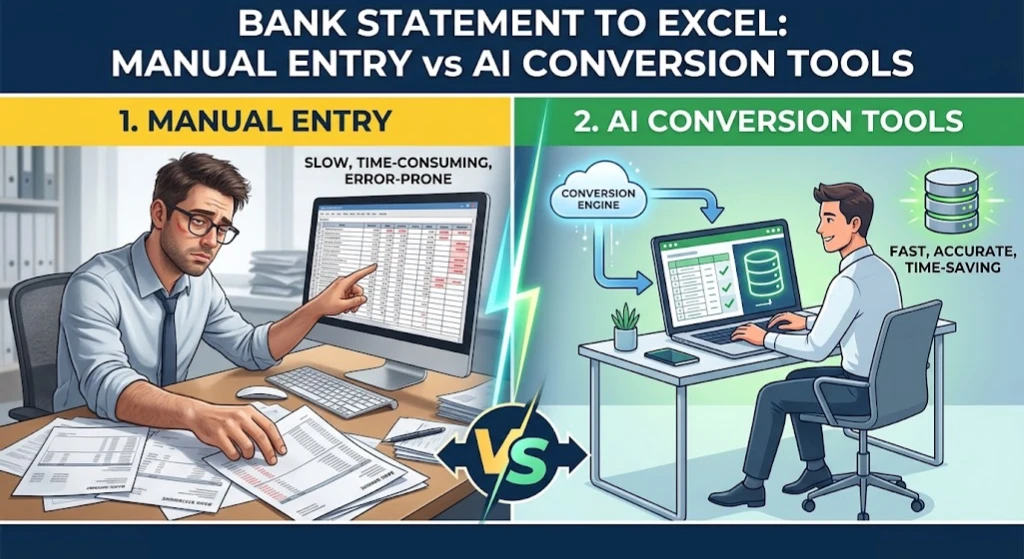
An office manager at a small logistics company spends the first Monday of every month buried in bank statements, matching fuel card charges and vendor payments to line items in a spreadsheet by hand. It usually takes most of the day. By the third client account, tired eyes start missing digits, and a transposed number means the whole reconciliation has to be checked again. This monthly routine is exactly where the debate between manual data entry vs AI conversion actually plays out, not in theory, but in a spreadsheet with a deadline attached.
What Manual Bank Statement Entry Actually Involves
Manual entry means opening a PDF statement, reading each transaction line by line, and typing the date, description, and amount into a spreadsheet by hand. For a single personal account with a few dozen transactions, this is manageable. For a business with several accounts, credit cards, and monthly statements running twenty or more pages, it becomes a repetitive task that eats hours every week.
The process usually looks like this.
- Open the PDF statement and scroll to the transaction table
- Type each date, description, and amount into a spreadsheet
- Check subtotals against the statement’s opening and closing balances
- Fix any row where a number was mistyped or a transaction was skipped
- Repeat for every account and every month
Manual bookkeeping vs automation is not a question of whether the work gets done. Manual entry works. The question is what it costs in hours, in errors, and in the ability to take on more clients or accounts without hiring more people. That cost is the heart of manual data entry vs AI conversion as a business decision, not just a technical one.
Industry coverage of accounting technology points in the same direction. Reporting from the Journal of Accountancy notes that automating repetitive work such as data entry and reconciliations frees up considerable staff time at accounting firms, which lines up with what shows up in a single office manager’s monthly routine as well.
What AI Conversion Tools Do Differently
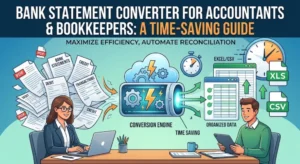
An AI-powered converter approaches the same PDF statement in a completely different way, which is where manual data entry vs AI conversion starts to diverge in practice. Instead of a person reading the page, optical character recognition and layout detection read the document, identify the transaction table, and extract each row directly into a structured file. A tool designed for this purpose, such as Smart Bank Statement Converter, can automate bank statement entry for both digital and scanned statements, turning a stack of PDFs into an Excel or CSV file in seconds rather than hours.
The output still needs a quick review, since no process is completely hands-off, but the reviewer is checking a finished spreadsheet rather than building one from scratch.
Time Saved With Automated Data Entry
The clearest difference between the two approaches shows up in hours spent. A single multi-page statement that takes thirty to sixty minutes to type manually can be converted in a matter of seconds, with a few more minutes needed to review the output. Across five or ten client accounts each month, that difference adds up to entire workdays returned to other tasks.
This benefit is not just about speed on a single file. It compounds every month, since the same statements keep arriving on the same schedule. A firm processing dozens of accounts each month is comparing a few hours of review time against what used to be several full days of typing.
AI vs Manual Data Entry Accuracy
Accuracy is where the comparison gets more nuanced than a simple hours saved calculation. Manual entry accuracy depends entirely on the person doing the work staying focused across every single line, on every page, every month. Fatigue, distraction, and repetitive strain all increase the chance of a missed transaction or a transposed digit, especially near the end of a long statement.
Consistency generally favours automation here, since a converter applies the same extraction logic to every page regardless of how many statements came before it. The strongest tools also run validation checks, confirming that the opening balance plus deposits minus withdrawals equals the closing balance, and flagging the file for review if something does not add up. This catches errors that a tired reviewer might otherwise miss.
Handling Scanned Statements and Multi-Page Files
One place manual entry and basic automation both struggle is scanned or low-quality statements. A photograph of a paper statement or a low-resolution scan contains no readable text, so any process, human or automated, has to work harder to pull out accurate numbers. Modern AI converters address this using OCR built specifically for financial documents, which can read scanned statements and reconstruct the transaction table even when the source image is imperfect.
Multi-page and multi-month statements bring a different challenge. A statement that runs across ten or fifteen pages, with headers repeating and totals appearing mid-document, is where manual entry slows down the most and where automation shows the biggest advantage. A well-built bank statement data entry alternative stitches multi-page tables into one continuous set of transactions automatically, instead of requiring someone to track where one page ends and the next begins.
Bank Reconciliation Automation Tools and the Bigger Workflow
Conversion is usually one step inside a larger reconciliation process. Tools that export clean Excel or CSV files feed directly into the next stage, whether that is matching transactions against invoices, importing into accounting software, or building a monthly report. A structured spreadsheet is far easier to sort, filter, and cross-check than scrolling through a PDF, which is where a lot of the reconciliation time savings actually come from. Smart Bank Statement Converter’s features outline how extraction, validation, and export fit together for this kind of workflow.
Switching From Manual Entry to an AI Tool
For someone used to typing statements into a spreadsheet by hand, moving from manual data entry vs AI conversion is a smaller adjustment than it might sound. The workflow still ends with a spreadsheet. What changes is the step before it, uploading a file instead of retyping it. Most conversion platforms follow a simple upload, extract, review, download sequence, so the learning curve is closer to a few minutes than a few days.
Conclusion
Manual data entry vs AI conversion is not a debate about whether spreadsheets are necessary. Both approaches produce the same kind of file in the end. The difference that matters is how many hours it takes to get there, how consistent the result is across a busy month, and how well the process holds up as the number of accounts grows. Smart Bank Statement Converter sits at exactly that point in the workflow, turning the part of the job nobody wants to do by hand into a file that is ready to work with.
Frequently Asked Questions
How much time does AI conversion save compared to manual data entry?
A statement that takes thirty minutes or more to type manually can typically be converted and reviewed in a few minutes, with the time saved growing as the number of accounts and months increases.
Is manual data entry more accurate than AI conversion?
Not usually. Manual entry accuracy depends on sustained focus across many pages, while a well-built converter applies the same extraction logic consistently and can flag balance mismatches automatically.
What are the biggest risks of manual bank statement entry?
The main risks are transposed numbers, skipped transactions near page breaks, and formatting mistakes that only surface later during reconciliation, when they are more time-consuming to fix.
Can AI conversion tools handle scanned or low-quality PDF statements?
Yes. Tools built with OCR designed for financial documents can read scanned or photographed statements and extract transaction data, though very poor image quality can still affect accuracy.
Is switching from manual entry to an AI tool difficult for someone used to spreadsheets? No. The output is still a spreadsheet, so the main change is uploading a file instead of retyping it, which most people adjust to within their first few conversions.
Does AI conversion work for multi-page or multi-month statements?
Yes. A well-built converter stitches multi-page statements into one continuous transaction table and can process multiple months or accounts in the same batch.