A bookkeeper takes on a new client mid-year who has never reconciled a business account, and inherits fourteen months of bank statements that need to become usable data before the books can even start. Typing over a year of transactions by hand would eat an entire week that could otherwise go toward paying clients. This is the exact situation where bank statement conversion for bookkeepers stops being a nice feature and becomes the thing that decides whether a new client engagement is worth taking on.
Why Bank Statement Conversion Matters for Accounting Work
Accountants and bookkeepers rarely struggle with the accounting itself. The bottleneck is almost always getting client data into a usable format before any actual bookkeeping can begin. A stack of PDF statements from three or four banks, covering months or years of history, has to become clean rows of dates, descriptions, and amounts before reconciliation, categorization, or reporting can start.
Bank statement conversion for bookkeepers solves this specific bottleneck. Instead of a staff member retyping transactions client by client, a converter extracts the data directly from the PDF or scanned statement and delivers it as a spreadsheet ready for the next step in the workflow.
How Automated Conversion Fits Into an Accounting Workflow
Accounting workflow tools generally follow a predictable sequence, and bank statement conversion for bookkeepers slots in early, right after the client hands over their documents and before any categorization or reconciliation happens.
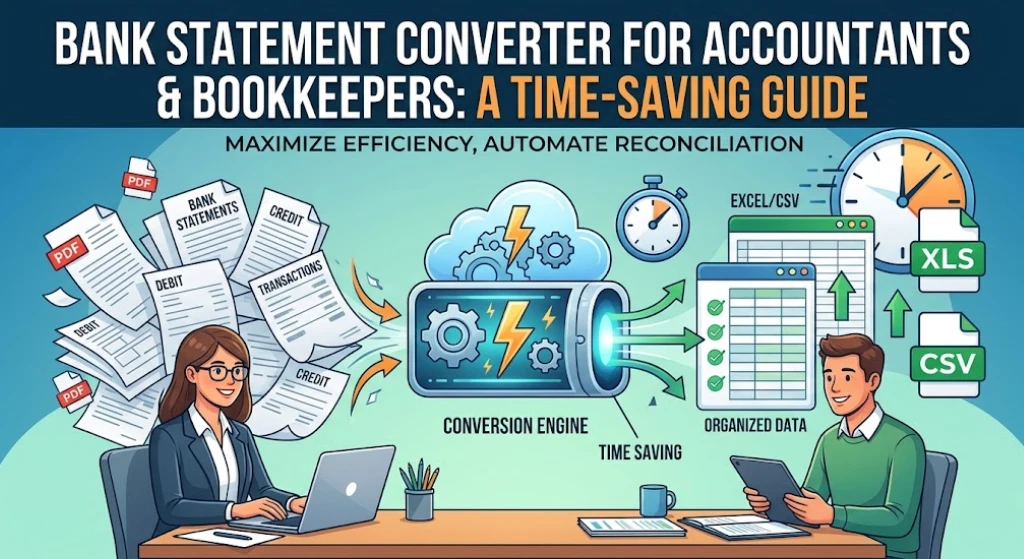
- Collect PDF or scanned statements from the client for each account and month needed
- Upload the statements to a converter built for financial documents
- Review the extracted data against the original statement for accuracy
- Export the file as Excel or CSV and bring it into the accounting workflow
Once the data is in spreadsheet form, it can be sorted, filtered, and matched against invoices or receipts far faster than working from a PDF. For a firm managing several clients, standardizing this one step means every account arrives in the same format regardless of which bank issued the original statement.
Automating Client Bank Statements Across Multiple Accounts
Bookkeepers rarely work with a single account for a single client. A small business client alone might have a checking account, a savings account, and one or two credit cards, each generating its own monthly statement. Automate client bank statements across all of them, rather than converting one account at a time, and the monthly close process becomes far less repetitive.
This matters even more during onboarding, when a firm might receive a year or more of back statements at once, exactly like the fourteen-month backlog described earlier. Converting that volume manually would take days. A converter built to handle multiple files and multiple months turns the same task into an afternoon of uploading and reviewing rather than a week of typing.
Bank Statement to Excel for Accounting Software Imports
Once transactions are in spreadsheet form, the next step is usually getting them into whatever accounting software the firm or client uses. This step works well because most platforms, including QuickBooks, Xero, and Sage, accept Excel or CSV imports with a straightforward column mapping step. Smart Bank Statement Converter exports files in both formats, so the output slots directly into whichever platform a client already runs, without an extra conversion step in between.
AI Tools for Bookkeepers and What They Actually Improve
A converter built specifically for financial documents does more than replace manual typing. It recognizes transaction tables separately from headers, footers, and account disclosures, adapts to different bank layouts without a custom template, and can validate that the opening balance plus deposits minus withdrawals equals the closing balance. That validation step catches extraction errors before they turn into a reconciliation problem three weeks later.
Smart Bank Statement Converter’s features outline how OCR, layout detection, and validation work together for both digital and scanned statements, along with the security measures applied to client files during processing.
Security When Uploading Client Financial Data
Client bank statements contain sensitive information, so security has to be part of the decision, not an afterthought. Smart Bank Statement Converter uses 256-bit SSL bank-grade security and automatically deletes files after processing, which limits how long client data sits on any server. Firms handling multiple clients should confirm these same standards before uploading anyone’s financial records to any conversion platform.
Financial Reporting Automation and Audit Preparation
This depends on clean transaction data existing in the first place, and that data has to come from somewhere. Once statements are converted, the same structured file can support monthly reports, cash flow summaries, and year-end reconciliation without pulling numbers from a PDF each time a report is due.
Audit preparation benefits in a similar way. An auditor reviewing prior periods needs organized transaction records with clear dates, descriptions, and amounts, not a folder of scanned statements to sort through manually. The IRS’s own guidance on recordkeeping points to the same principle, noting that a good system supports income and expenses claimed on a return and helps if a return is ever selected for examination. Converting statements as they arrive, rather than scrambling to convert a year of backlog right before an audit, keeps the records ready well before anyone asks for them.
Handling High Volume Across Many Clients
Firms managing dozens of clients face a different scale of problem than a solo bookkeeper with a handful of accounts. Batch processing lets multiple statements upload and convert in the same session, rather than one file at a time, which matters when a firm is converting statements for twenty clients every month rather than two. Bank statement conversion for bookkeepers becomes a scheduling advantage at this scale, since the time saved on each file compounds across every client on the roster.
Conclusion
Bank statement conversion for bookkeepers is not a shortcut around accounting work, it is what makes the accounting work possible to start on time. Clean, converted data means less time spent retyping numbers and more time spent on the parts of the job that actually require a professional’s judgment. Smart Bank Statement Converter fits into that first step of the workflow, turning a client’s folder of PDFs into a spreadsheet a bookkeeper can build on immediately.
Frequently Asked Questions
How can accountants use bank statement converters to save time?
Converters extract transaction data directly from PDF or scanned statements, which removes the need to retype each line by hand and lets bookkeepers move straight into reconciliation and reporting.
Do converted files integrate with accounting software like QuickBooks, Xero, or Sage? Yes. Exported Excel or CSV files can be imported into QuickBooks, Xero, or Sage using each platform’s standard column mapping process.
Is it safe for accountants to upload client financial data to a conversion tool?
A platform using bank-grade encryption and automatic file deletion after processing, such as Smart Bank Statement Converter, is built to keep client data secure during conversion.
How does automated conversion help with audit preparation?
Converting statements as they come in keeps transaction records organized and ready for review, so audit preparation does not turn into a last-minute scramble through a stack of PDFs.
Can these tools handle high-volume conversion for accounting firms with many clients?
Yes. Batch processing allows multiple statements to be uploaded and converted in the same session, which scales far better than converting one file at a time across a large client roster.