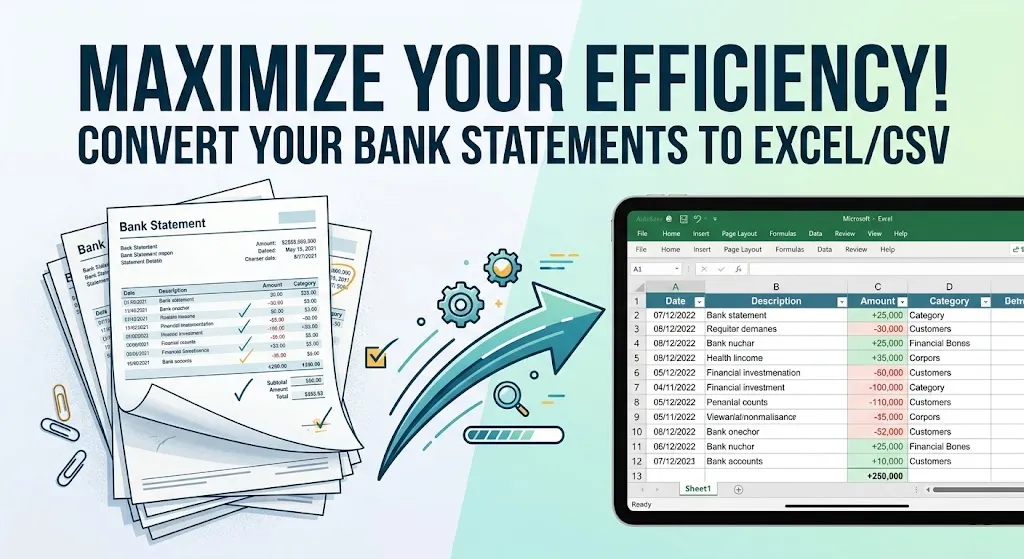
Bank statements are one of the most important financial documents for individuals, businesses, accountants, lenders, and finance teams.
However, most bank statements are delivered in PDF format, which can make financial analysis and record management difficult.
PDF statements are useful for viewing and sharing, but they are not designed for editing, reconciliation, reporting, or transaction analysis.
More businesses are converting bank statements into spreadsheet formats, such as Excel and CSV.
Why Convert Bank Statements to Excel or CSV?
The main reason businesses convert bank statements into spreadsheets is usability.
PDF files are static documents. While they are useful for viewing transaction history, they are difficult to edit, analyze, filter, or import into accounting systems. Spreadsheet formats make financial data significantly easier to work with.
Instead of manually reviewing pages of transactions, users can instantly sort, categorize, filter, search, and analyze financial records.
Modern extraction tools can convert transaction data into formats that are ready for reconciliation, bookkeeping, reporting, and cash flow analysis.
One of the biggest reasons businesses now convert PDF bank statements to Excel (XLSX) or CSV format is the use of bank statement converters.
Problems with PDF Bank Statements
PDF statements often create operational challenges for finance professionals. Manual workflows typically involve copying transactions into spreadsheets, fixing broken formatting, separating merged columns, correcting typing errors, and reviewing multi-page statements manually.
Task | PDF Workflow | Spreadsheet Workflow |
Transaction review | Manual scrolling | Searchable and filterable |
Financial analysis | Difficult | Easy calculations and reporting |
Data organization | Unstructured | Structured tables |
Reconciliation | Time-consuming | Faster matching |
Reporting | Manual formatting required | Spreadsheet-ready |
Excel vs CSV Bank Statements
Both Excel and CSV formats are widely used for financial data management, but each serves different purposes.
Understanding the difference between the two helps businesses choose the right format for their workflow.
Excel Bank Statement Advantages
Excel files are ideal for businesses that need advanced financial analysis and reporting. It supports:
- Formulas and calculations
- Pivot tables
- Conditional formatting
- Charts and dashboards
- Multi-sheet reporting
- Financial modeling
One of the biggest advantages of using bank statement Excel is the ability to organize and analyze transaction data.
Finance professionals can quickly identify spending patterns, reconcile accounts, generate reports, and perform cash flow analysis directly inside spreadsheets.
CSV Bank Statements
CSV (Comma-Separated Values) files are simpler and lighter than Excel files.
CSV formats are primarily used for accounting software imports, data transfers, system integrations, database processing, and bulk transaction uploads.
CSV files do not include formulas, styling, or formatting. However, they are highly compatible with financial software and large-scale processing systems.
CSV vs Excel Bank Statements
Both formats offer advantages depending on the workflow.
Feature | Excel | CSV |
Formatting | Advanced | Basic |
Formulas | Supported | Not supported |
Reporting | Excellent | Limited |
Software imports | Good | Excellent |
Data analysis | Advanced | Basic |
File simplicity | Moderate | High |
How Bank Statement Conversion to Excel or CSV Works?
Modern conversion platforms use OCR and AI-powered document understanding to extract transaction data.
Instead of manually copying transactions, the system identifies financial data and organizes it into spreadsheet formats.
The workflow usually follows several stages.
Step 1: Upload the Statement
Users upload a PDF bank statement into the converter.
Most systems support:
- PDF statements
- Scanned bank statements
- Multi-page documents
- Image-based statements
Step 2: OCR Processing
Optical Character Recognition converts printed or scanned text into machine-readable information. Allows the system to detect transaction details from PDFs and images.
Step 3: AI-Based Document Understanding
AI bank statement converters dynamically understand the structure of financial documents, rather than relying on fixed templates.
Allows modern extraction platforms to identify transaction tables, debit and credit columns, running balances, account summaries, and statement periods.
Smart Bank Statement Converter combines OCR with AI-based document understanding to simplify complex statement processing workflows.
Step 4: Data Extraction
Once the document is analyzed, the system extracts transaction data into organized spreadsheet-ready tables.
Read our blog: https://smartbankstatementconverter.com/how-to-extract-data-from-bank-statements/
Data Category | Extracted Information |
Account Information | Bank name, account holder, statement period |
Transactions | Dates, descriptions, amounts |
Summary Data | Opening and closing balances |
Financial Activity | Deposits, withdrawals, transfers |
Step 5: Export to Excel or CSV
After extraction is complete, users can download the converted statement in spreadsheet formats for reporting, reconciliation, analysis, or accounting workflows.
Benefits of Converting Bank Statements
Converting financial statements into spreadsheet formats offers several operational advantages.
Faster Financial Analysis
Spreadsheet-ready transaction data makes it easier to review spending patterns, calculate totals, and generate reports quickly. Instead of manually reviewing PDFs, finance teams can analyze data instantly.
Improved Accuracy
Extraction reduces manual typing errors and formatting inconsistencies. Advanced systems also mathematically validate the extracted financial data to improve reliability.
Better Reconciliation
Spreadsheet formats simplify transaction matching and account reconciliation. Especially useful for accountants and bookkeepers managing high transaction volumes.
Easier Accounting Software Imports
CSV files can be imported directly into many accounting systems, significantly reducing manual data entry.
Improved Financial Visibility
Clean transaction data provides businesses with better insights into expenses, cash flow, and operational performance.
Who Benefits from Spreadsheet-Based Bank Statements?
Bank statement formats are useful across multiple industries and financial workflows.
Individuals
Individuals often convert statements for budgeting, expense tracking, tax preparation, and financial organization.
Spreadsheet formats make it easier to review spending behaviour and organize personal finances.
Accountants and Bookkeepers
Accounting professionals use converted bank statements to simplify reconciliation, bookkeeping, reporting, and transaction categorization.
Small Businesses
Businesses use spreadsheet-ready statements for:
- Expense tracking
- Cash flow analysis
- Vendor reconciliation
- Financial reporting
- Operational analysis
Lenders and Financial Institutions
Lenders often analyze bank statements during underwriting and financial reviews.
Structured data improves income verification and transaction analysis workflows.
Auditors and Analysts
Spreadsheet-based financial data simplifies audit preparation, due diligence, reporting, and transaction investigations.
Financial Data Processing
Emerging trends include:
- Real-time transaction extraction
- AI-powered financial analysis
- Continuous reconciliation workflows
- Smarter accounting integrations
- Intelligent anomaly detection
Conclusion
PDF bank statements are useful for viewing financial records, but they are not ideal for modern financial workflows.
Converting statements into Excel (XLSX) or CSV formats allows businesses and finance professionals to work with analysis-ready financial data.
Frequently Asked Questions
Why should bank statements be converted into Excel or CSV?
Spreadsheet formats make financial data easier to organize, analyze, reconcile, and import into accounting systems than static PDF files do.
What are the benefits of Excel bank statements?
Excel bank statements support formulas, reporting, pivot tables, filtering, dashboards, and advanced financial analysis.
Is CSV better than Excel for bank statements?
CSV files are better for software imports and data transfers, while Excel is better for financial analysis and reporting.
Can Excel bank statements be used for accounting?
Yes. Excel statements are widely used for bookkeeping, reconciliation, expense tracking, reporting, and financial analysis.
Do banks provide statements in Excel format?
Most banks primarily provide PDF statements. Businesses often use extraction tools to convert PDF statements into Excel or CSV formats.