Bank statements power some of the most important financial decisions within a business. They’re reviewed for audits, used in lending, checked during reconciliations, and relied on for cash-flow visibility. Yet many teams still process them the slowest way possible.
Here’s the truth: manual bank statement processing doesn’t feel risky because the damage rarely shows up immediately.
A finance team downloads PDFs, copies rows into Excel, double-checks totals, and moves on. Everything looks fine until a column shifts or a balance doesn’t reconcile weeks later. By the time the issue surfaces, fixing it takes hours.
This is where the difference between manual and automated bank statement processing becomes impossible to ignore.
This blog post explains how manual and automated approaches differ, why automation reduces risk at scale, and when switching becomes unavoidable.
What Is Manual Bank Statement Processing?
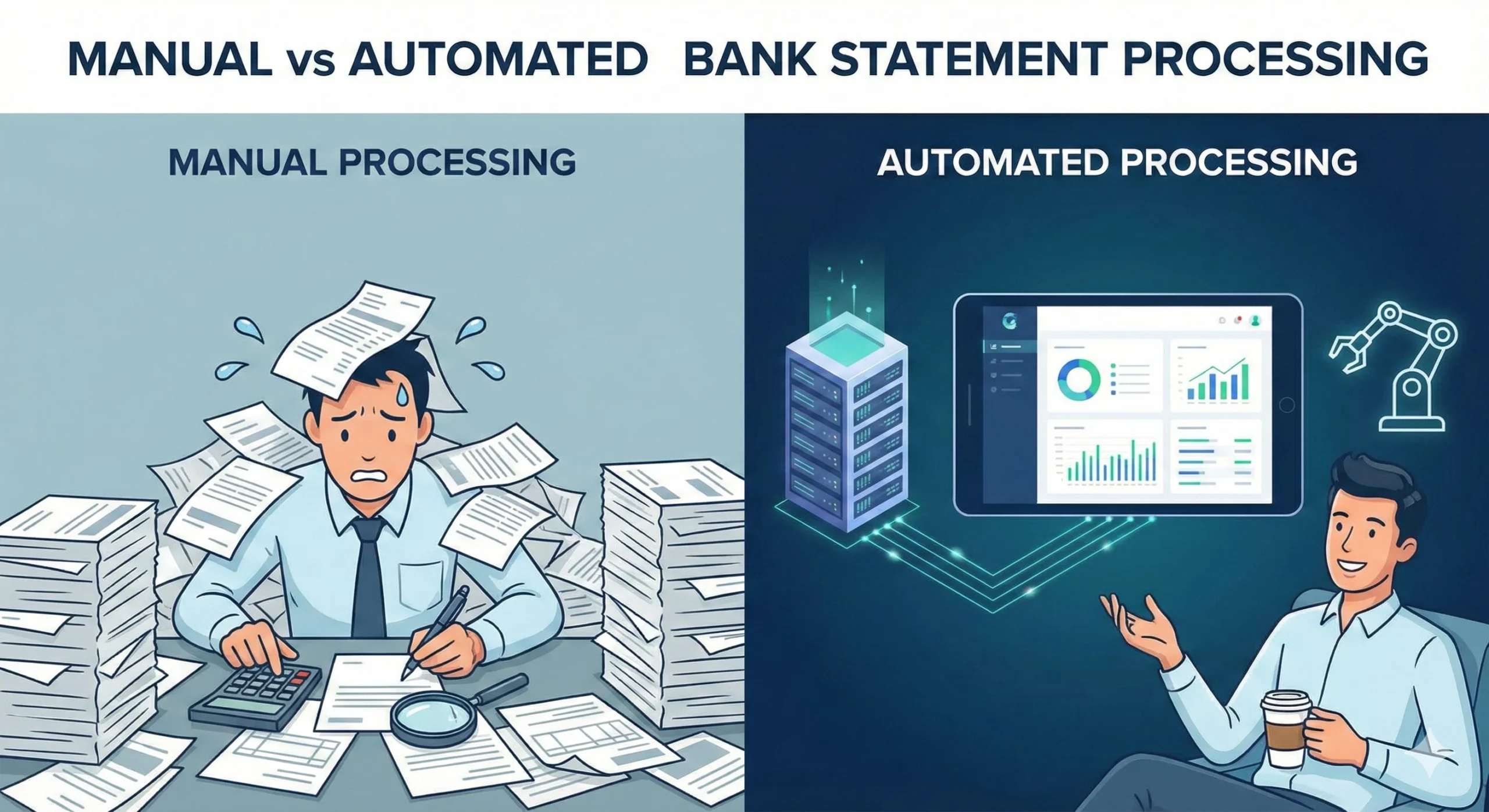
Manual bank statement processing relies on human effort to extract and structure transaction data from bank statements. This typically involves:
- Downloading PDF or scanned statements
- Copying and pasting data into Excel
- Reformatting rows and columns
- Manually verifying totals and balances
While this method works for small volumes, it depends heavily on attention to detail. Every additional statement increases the chance of inconsistency, missed entries, or formatting errors.
What Is Automated Bank Statement Processing?
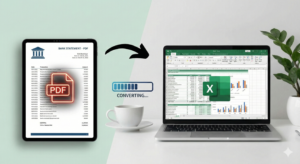
Automated bank statement processing uses software to extract transaction data directly from PDF or scanned statements and convert it into structured digital formats like Excel or CSV.
Instead of manual entry, automated systems handle:
- Bank statement data extraction
- Table structure recognition
- Validation and formatting
- Consistent output across files
AI bank statement processing enhances this by recognizing complex layouts, adapting to different bank formats, and handling scanned documents using intelligent OCR.
Manual vs Automated Bank Statement Processing: The Core Difference
The real difference between manual and automated bank statement processing isn’t speed. Its reliability.
Manual processing relies on human consistency. Automated processing relies on system logic.
Manual workflows break down when:
- Statement volumes increase
- Multiple banks are involved
- Layouts change frequently
- Deadlines are strict
Automated workflows scale without changing accuracy.
Where Manual Bank Statement Processing Fails
Manual processing introduces risk at every step. Common issues include:
- Skipped transactions during copy-paste
- Misaligned columns after formatting
- Inconsistent date or currency formats
- Duplicate or missing entries
These errors often go unnoticed until reconciliation or audits, when correcting them is far more expensive.
The more statements a team processes, the more fragile manual workflows become.
How Automated Bank Statement Processing Works
Automated bank statement processing follows a consistent workflow:
1. Statement Upload
Users upload PDF or scanned bank statements through a secure platform.
2. Bank Statement Data Extraction Automation
The system identifies transaction dates, descriptions, debits, credits, and balances. Advanced tools automatically adapt to different layouts.
3. AI Bank Statement Processing
AI models validate structure, preserve transaction order, and handle variations across banks and file types.
4. Export to Digital Formats
The final output is delivered as clean Excel or CSV files ready for reconciliation, reporting, or accounting systems.
Accuracy: Automated vs Manual Financial Data Processing
Manual entry depends on human focus. Automated systems depend on repeatable logic.
Automated bank statement processing consistently outperforms manual entry by:
- Preserving transaction order
- Preventing skipped rows
- Maintaining column integrity
- Applying consistent formatting
While automation isn’t flawless, it dramatically reduces error rates, especially when handling multi-page or scanned statements.
Time and Scalability Differences
Manual bank statement processing scales linearly. More files mean more hours.
Automated processing scales instantly. Whether processing one statement or hundreds, the workflow remains the same.
For teams handling recurring statements, automation turns hours of work into minutes without increasing review effort.
Who Benefits Most From Automated Bank Statement Processing?
Automated processing is especially valuable for:
- Accounting and bookkeeping firms
- Financial analysts
- Loan officers and credit teams
- Businesses managing multiple bank accounts
- Auditors and compliance professionals
Any team working with recurring bank statements benefits from automation.
Choosing the Right Bank Statement Processing Platform
Not all automation is equal. A reliable bank statement processing platform should offer:
- Support for multiple banks and layouts
- High-accuracy data extraction automation
- Intelligent OCR for scanned statements
- Secure data handling
- Clean Excel and CSV outputs
Smart Bank Statement Converter is designed specifically for real-world financial workflows, not idealized templates.
Conclusion
The debate around manual vs automated bank statement processing isn’t about preference. It’s about sustainability.
Manual workflows don’t fail immediately. They fail quietly, over time, as volume and complexity increase. Automation doesn’t remove oversight; it removes unnecessary risk.
For teams managing growing transaction data, automated bank statement processing isn’t a future upgrade. It’s a practical shift toward accuracy, efficiency, and control.
Frequently Asked Questions
What is the difference between manual and automated bank statement processing?
Manual processing relies on human data entry and formatting, while automated bank statement processing uses software to extract and structure data automatically. Automation reduces errors and saves time.
How does automated bank statement processing work?
It extracts transaction data from PDFs or scanned files using OCR and AI, structures it into tables, validates its accuracy, and exports it to Excel or CSV.
Is automated bank statement processing more accurate than manual entry?
Yes. Automated processing reduces skipped transactions, formatting issues, and human error, especially when handling large or complex statements.
What are the risks of manual bank statement data entry?
Manual entry increases the risk of missing transactions, incorrect formatting, inconsistent records, and delayed error detection during reconciliation or audits.
When should businesses switch from manual to automated bank statement processing?
Businesses should switch when statement volume increases, multiple banks are involved, or manual corrections consume significant time. Automation becomes essential as complexity grows.