
Convert PDF Bank Statements to Excel in Seconds
The most accurate AI-powered bank statement converter. Stop manual data entry and save hours on reconciliation. Works with 1000+ banks worldwide.

Convert Bank Statement PDF to Excel
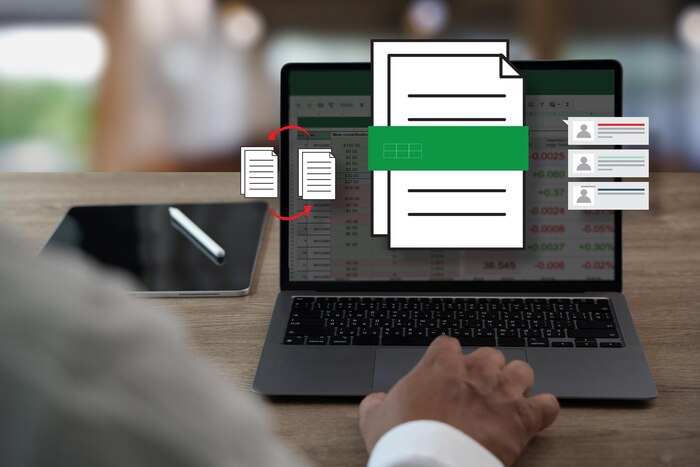
Convert Bank Statement PDF to Excel
Smart Bank Statement Converter lets you convert a bank statement PDF to Excel in a clean format, ready-for-analysis format.
It transforms static PDFs into editable spreadsheets by accurately extracting transaction data, balances, and descriptions.
Whether you need a PDF bank statement to Excel or a CSV output for imports, the result is consistent and usable every time.
Designed for professionals who rely on accuracy, the platform removes the friction from working with bank statements while keeping the process easy and swift.

5000+
Daily Conversions

1000+
Supported Banks

100%
Secure Processing
Built for Everyday Financial Workflows
Bank statements are used for more than record-keeping. They support decisions, audits, and reporting. Smart Bank Statement Converter fits naturally into daily financial tasks where swiftness and accuracy matter.
Use it to:
- Reconcile accounts faster
- Prepare reports without reformatting
- Review transactions across multiple months
- Organize financial records for sharing or storage

Built for Everyday Financial Workflows
Bank statements are used for more than record-keeping. They support decisions, audits, and reporting. Smart Bank Statement Converter fits naturally into daily financial tasks where swiftness and accuracy matter. Use it to:
- Reconcile accounts faster
- Prepare reports without reformatting
- Review transactions across multiple months
- Organize financial records for sharing or storage
Why Waste Hours On Manual Data Entry?

The Problem
- Copy–pasting transactions from PDF to Excel
- High typo risk and formatting errors
- Accounting delays and reconciliation issues

Our Solution
- Intelligent OCR extracts tables automatically
- Reads PDFs like a human, processes like a machine
- Outputs clean Excel & CSV files, ready for accounting
From PDF to Spreadsheet, Done Right
When you convert a bank statement to Excel or CSV, the goal is not just conversion. It is usability.
Each file is cleaned so rows, columns, and totals align correctly, making the data reliable for accounting systems, spreadsheets, and internal reviews.
This makes Smart Bank Statement Converter suitable for both one-time tasks and ongoing financial workflows.
How To Convert Bank Statements In 3 Simple Steps:
Our AI-powered process makes conversion effortless:

Upload
Drag & drop PDF (scanned or digital)
No templates or formatting needed

Intelligent Conversion
AI detects tables, dates, descriptions
Handles multi-page statements automatically

Download & Export
Download Excel (.xlsx) or CSV
Compatible with QuickBooks, Xero, Sage
Works Across Formats and Use Cases
Different workflows require different outputs. Along with Excel, you can convert a PDF bank statement to CSV when lightweight data or system imports are needed.
The built-in PDF-to-CSV converter ensures transaction data remains consistent across formats without loss of detail. This flexibility makes it easier to move data between tools without rework.
Powerful Features
Everything you need to convert bank statements with confidence.

Precision Accuracy
Handles complex layouts and merged cells with advanced AI algorithms.

Universal Compatibility
Supports 1000+ global banks (Chase, Bank of America, HSBC, and more).

Bank-Grade Security
256-bit SSL encryption with automatic file deletion after processing.

Scanned Document Support
OCR technology reads scanned paper statements and images flawlessly.
Designed for Ease
Converted files are delivered in a format that minimizes post-processing. Dates, descriptions, and amounts are separated cleanly so the file can be used immediately.
This reduces the need for manual corrections and saves time during reconciliation or reporting.

Who Uses Smart Bank Statement Converter?

Who Uses Smart Bank Statement Converter?
The platform is used by people who need dependable financial data without unnecessary complexity.
- Accountants and bookkeepers
- Small businesses and finance teams
- Consultants and auditors
- Individuals managing personal finances
If you regularly export bank statement to Excel or need consistent bank statement extraction, the tool adapts to your workflow rather than forcing you to adopt a new one.
Simple, Transparent Pricing
Choose the plan that fits your needs.
Starter
Freelancers & Individuals
$15 / month
- Page Limit 400 pages / month
- Formats PDF, Excel, CSV
- Support Email Support
Most Popular
Professional
Growing teams & firms
$30 / month
- Page Limit 1000 pages / month
- Formats PDF, Excel, CSV
- Support Priority Email
Business
Agencies & High Volume
$50 / month
- Page Limit 4000 pages / month
- Formats PDF, Excel, CSV
- Support Priority Support
Starter
Freelancers & Individuals
$90 / year
- Page Limit 4800 pages / month
- Formats PDF, Excel, CSV
- Support Email Support
Most Popular
Professional
Growing teams & firms
$180 / year
- Page Limit 12000 pages / year
- Formats PDF, Excel, CSV
- Support Priority Email
Business
Agencies & High Volume
$300 / year
- Page Limit 48000 pages / year
- Formats PDF, Excel, CSV
- Support Priority Support
Frequently Asked Questions
How does Bank Statement Converter work?
You upload a PDF bank statement, the system automatically extracts transaction data, and you download the converted Excel or CSV file.
Is my statement data secure?
Yes. Files are processed securely and handled privately during conversion.
How long does it take to convert a PDF file?
Most files are converted within seconds, depending on length and size.
How do I cancel my subscription?
Subscriptions can be cancelled at any time directly from your account dashboard.
Can I convert PDF bank statements to CSV?
Yes. You can convert a PDF bank statement to CSV and Excel.
What is the process to convert bank statements to Excel?
Upload the PDF, let the system extract the data, then download the Excel file.
How much does it cost to use PDF to CSV converter?
Pricing depends on the selected plan and monthly usage limits shown on the pricing page.